EYEUM lets people living with ALS speak words using only eye movements — no touch, no controllers, no expensive hardware.
EYEUM pairs camera-based eye tracking with a board where the words you use most are always the fastest to reach.
Uses the front camera of a standard phone or tablet, and only left and right eye movements. No headset, no infrared rig, no calibration lab required.
The words and phrases you use most sit within the fewest glances, so everyday communication comes out faster.
Each completed word is read aloud with built-in text-to-speech, so caregivers hear it instantly.
Large targets, high-contrast text, and quick caregiver phrases designed with accessibility first — not as an afterthought.
Every word on the board carries a short binary code — 0 for a glance left, 1 for a glance right. The patient finds the word they want and reads its code.
A glance to the left adds a 0, a glance to the right adds a 1. Each digit appears on screen as it is entered, so the code can be followed as it forms.
Gazing at the center for about two seconds completes the code. If it matches a word in the book, the app speaks it aloud through the device speaker.
Free for individuals, families, and care organizations. Just choose how you'd like to get it and who you are. An email address is needed only for the Google Play route, so we can send the invitation.
EYEUM runs on a standard Android tablet or phone. Confirm the notice below to get the download links, a quick-start guide, and the full manual.
EYEUM is not publicly listed on Google Play yet, so there are two routes.
Get it now
Download the installation file straight from this site. There's no waiting, but while it installs Android will ask you a few times whether you're sure. Just follow the screens.
Get it through Google Play
Leave a Gmail address in the form and we'll send you an invitation. It takes a few days, but then it installs just like any other app and new versions arrive on their own.
The two are treated as separate apps, so only one can be installed at a time. To switch, remove the one you have first.
Only the fields marked * need to be filled in or chosen.
Please choose how you'd like to get it.
Please enter the Gmail address you use on your phone.
Please choose one so we know who EYEUM is reaching.
EYEUM is a research project, and it improves only when people tell us how it went. Please use it for a week or two with the person you're supporting, then come back to this site and leave your notes. What didn't work matters most.
We'll email an invitation link within a few days. Open it on the phone or tablet signed in with that address, and the app installs from Google Play as usual.
Choose your device below. The guides are underneath.
Start with the quick guide; the full manual covers setup and troubleshooting in detail.
Quick start (PDF) Full user manual (PDF)파일(APK)로 설치하실 때는 설치 중에 확인 화면이 몇 번 나타납니다. 앱에 문제가 있다는 뜻이 아니라, 스토어 밖에서 받은 파일일 때 안드로이드가 늘 보여주는 화면입니다.
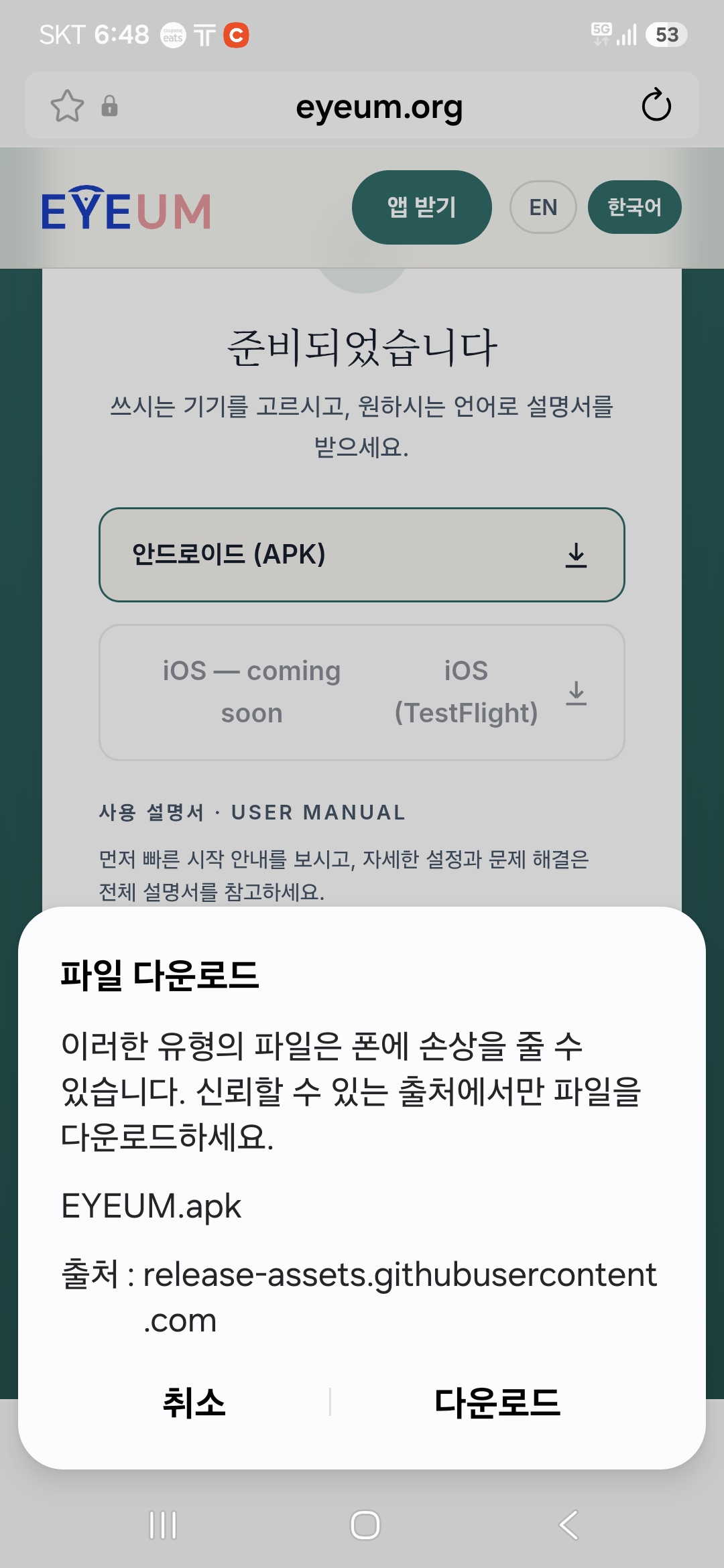
다운로드를 누릅니다.
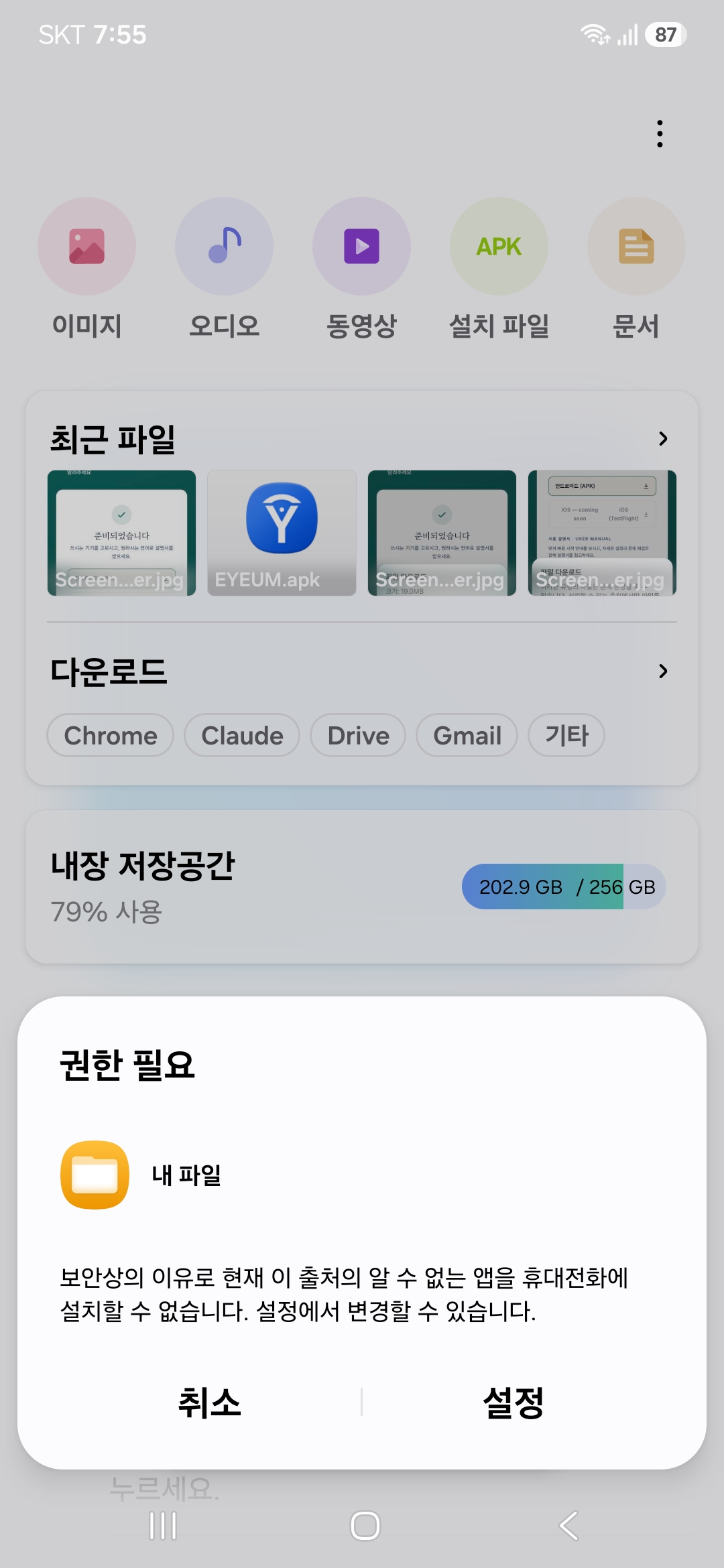
설정을 누릅니다.
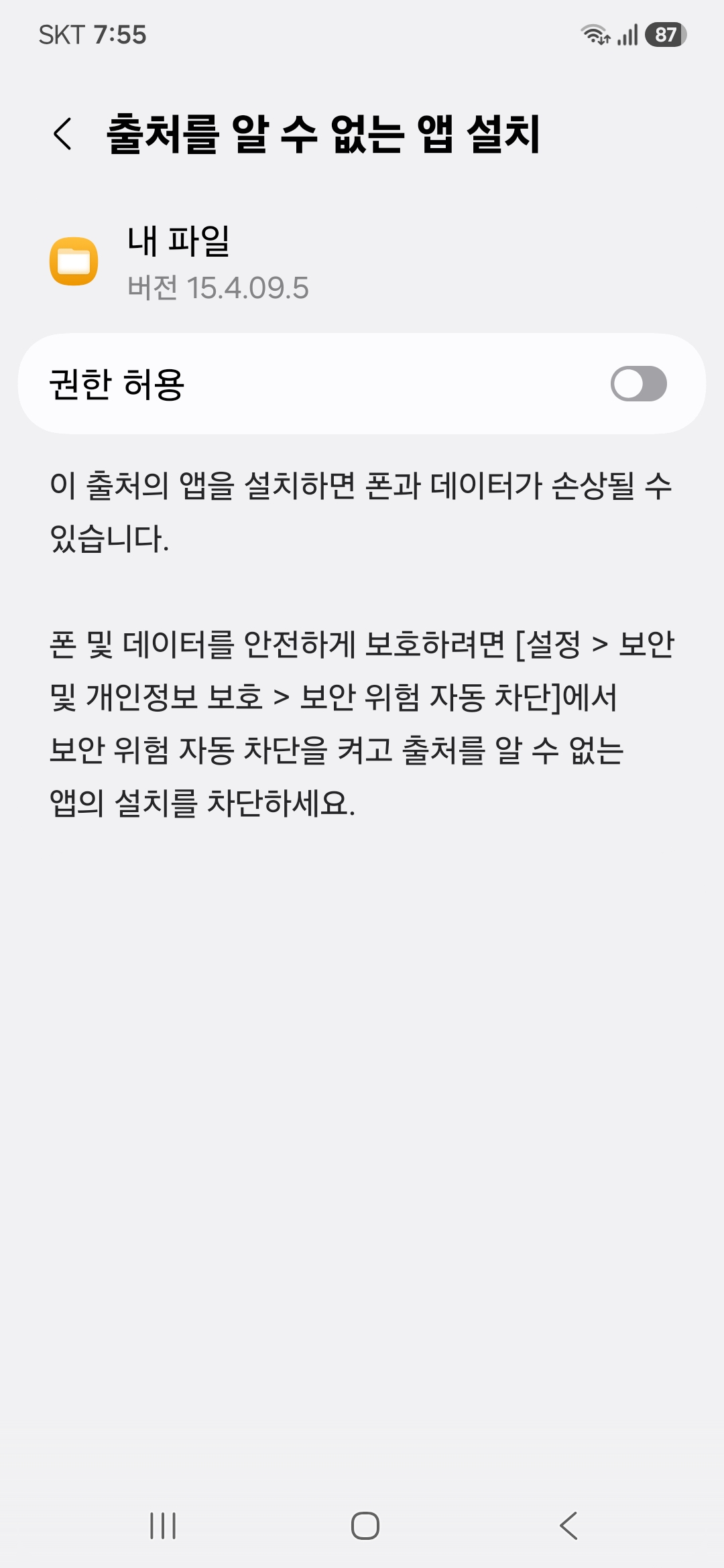
권한 허용 스위치를 켜고 뒤로 갑니다.
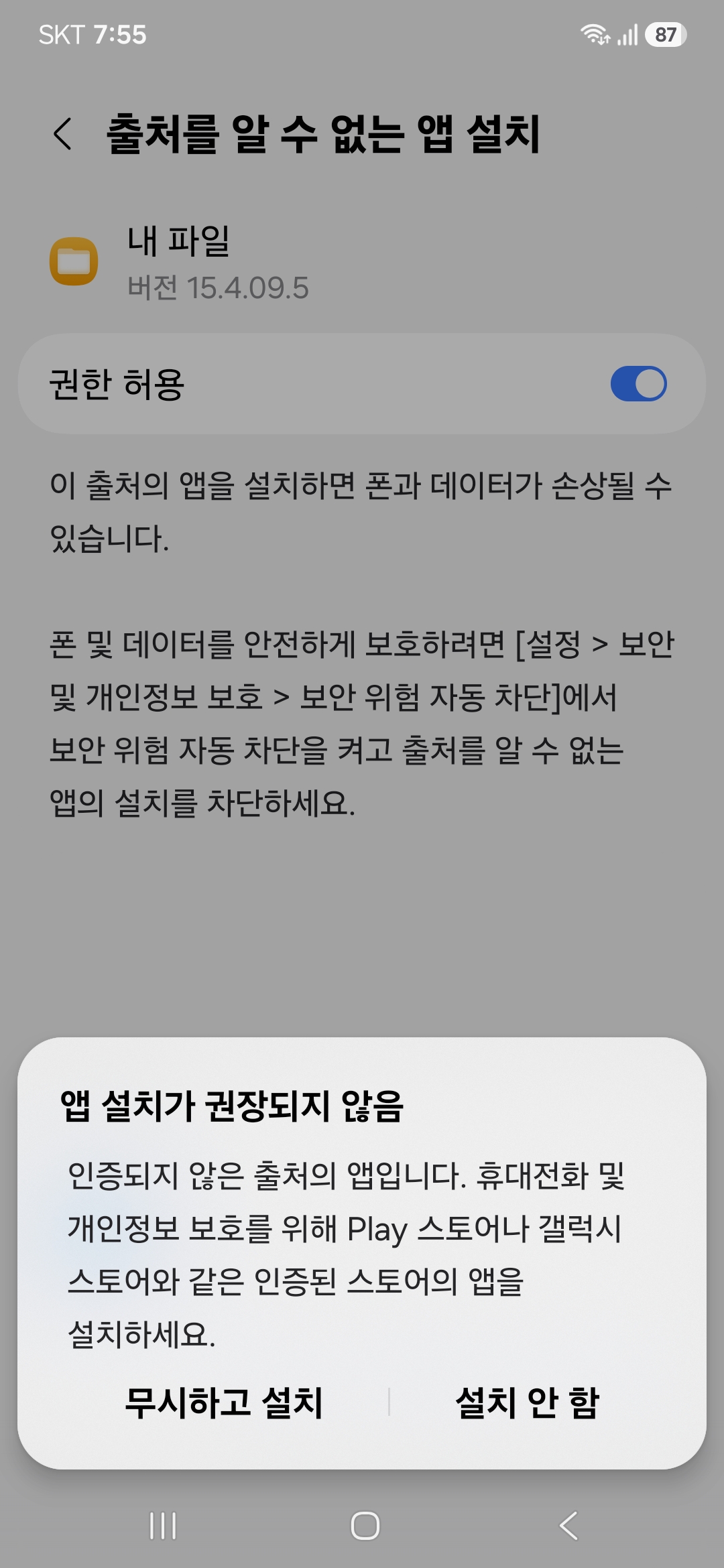
왼쪽 버튼을 누릅니다. 오른쪽을 누르면 설치가 취소됩니다.
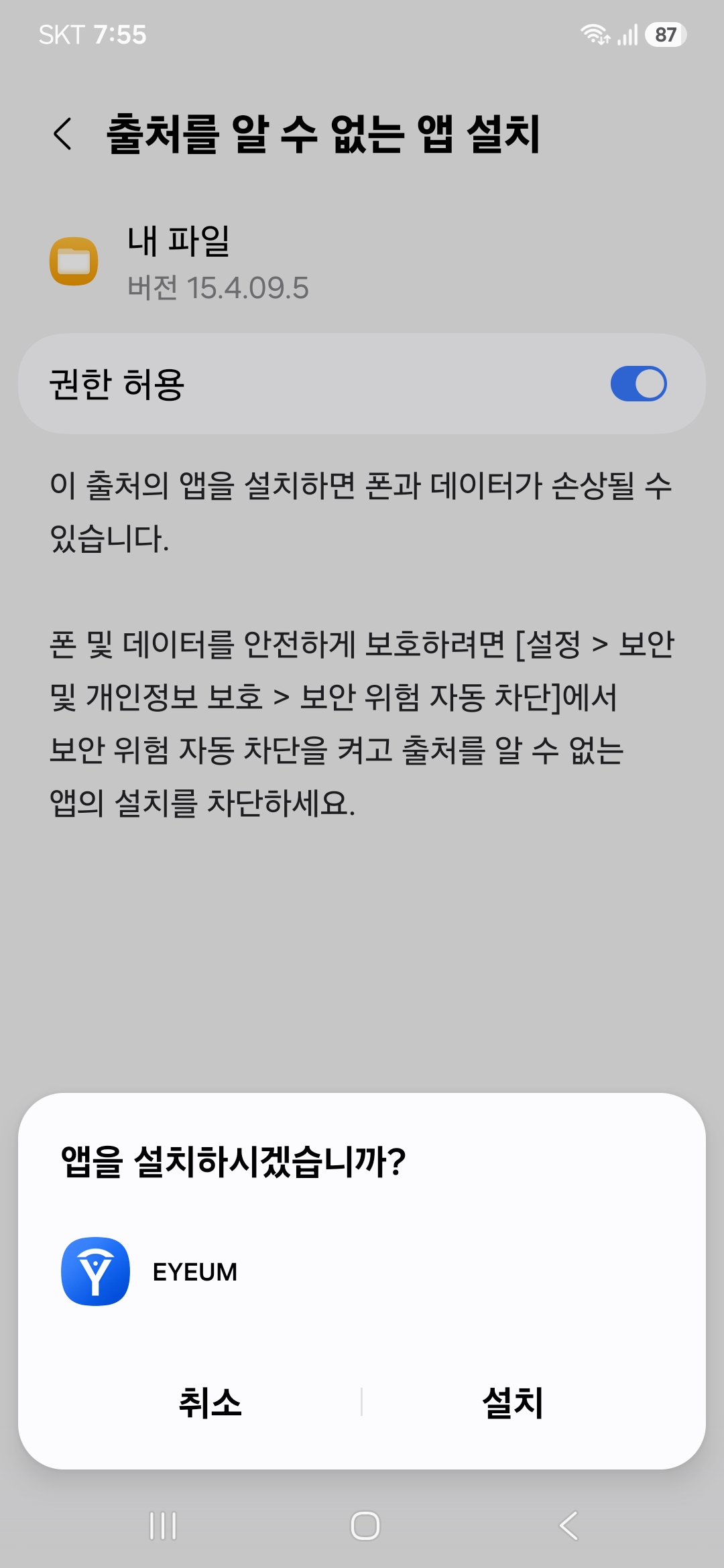
설치를 누릅니다.
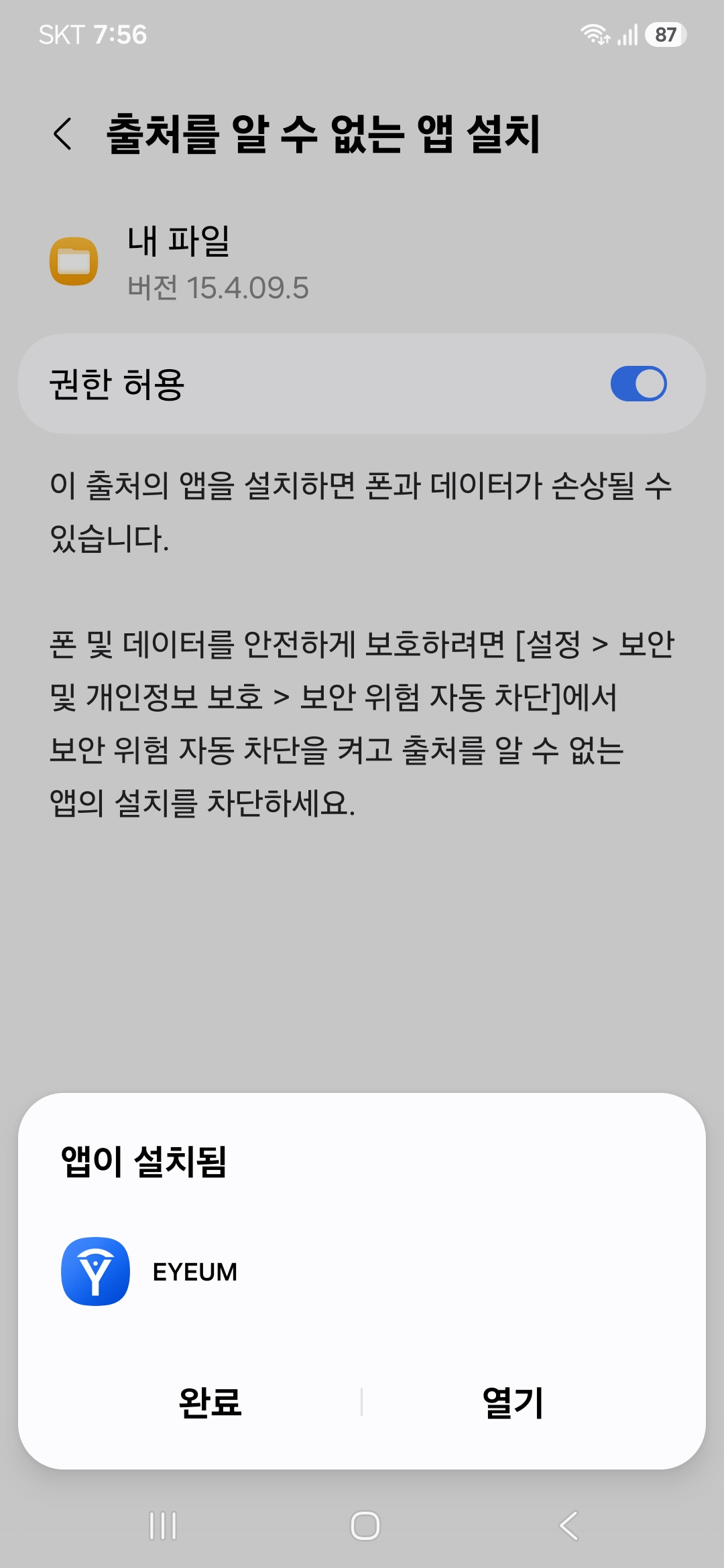
설치가 끝났습니다. 열기를 누르면 시작합니다.
기기와 설정에 따라 화면 순서가 조금 다르거나, 중간에 구글 Play 프로텍트의 앱 검사 화면이 추가로 나올 수 있습니다. 검사를 진행하시면 됩니다.
설치가 끝난 뒤에는 권한 허용을 다시 꺼두셔도 됩니다. EYEUM 사용에는 영향이 없습니다.
그래도 설치되지 않으면 contact.eyeum@gmail.com 으로 기기 이름과 함께 알려주세요.
EYEUM.apk · 버전 1.3.3org.eyeum.appReminder: keep a reliable backup way to call for help. EYEUM should not be your only means of communication in an emergency.
We're building this with the ALS community, not just for it. If you'd like to share how it went — what worked, what didn't, what would help — we'd be grateful. It's completely optional.
Share your feedback